
Invisible characters are small characters of the Unicode that are blank when typed, but are recognized digitally. Invisible characters have become the fundamentals of online creativity, with users concealing messages in social media posts, using blank usernames in online games, or bothering with special formatting in online documents.
The use of Invisible Character has increased further in 2026 with changes in Unicode standards and social media. This guide will contain all that you should know:
- Validated copy-paste codes of invisible character.
- Step-by-step tutorials
- Instagram, WhatsApp, and Discord secrets of hidden text.
- Online tools and generators
- Best practices and errors to be avoided.
At the conclusion, you will be acquainted with the way to use Invisible Characters safely and creatively in social media, gaming, messaging, etc.
What is an Invisible Character?
An Invisible Character is a Unicode symbol that doesn’t display any visible shape or glyph but still exists in text. While invisible to the human eye, it is fully recognized digitally and can influence spacing, formatting, and even encode secret messages.
Think of them as the invisible ink of the digital world. They occupy space but cannot be seen, which makes them extremely useful for hiding or formatting text.
Technical Explanation
Every character has a Unicode code point — a number that tells your computer how to display it. Invisible characters also have code points but produce no visual output. Common types include:
- Zero Width Space (ZWSP)
- Zero Width Non-Joiner (ZWNJ)
- Zero Width Joiner (ZWJ)
- Braille Blank
Real-World Examples
- Sending an empty message on WhatsApp.
- Creating a blank Instagram username.
- Formatting hidden text in a document or webpage.
- Inserting invisible metadata for SEO or spacing purposes.
Invisible character copy give you control over how text appears — or doesn’t appear — making them both creative and practical tools in 2026.
Types of Invisible Characters and Unicode Codes (2026 Update)
Here are the most common invisible characters used in 2026 along with their Unicode values and practical examples.
| Character Name | Unicode | Copy-Paste Example | Use Case |
| Zero Width Space (ZWSP) | U+200B | Hidden messages, spacing adjustments | |
| Zero Width Non-Joiner (ZWNJ) | U+200C | | Prevent ligature formation, formatting control |
| Zero Width Joiner (ZWJ) | U+200D | | Combine emojis or characters without visible space |
| Braille Blank | U+2800 | ⠀ | Invisible names, blank usernames |
| Invisible Separator | U+2063 | | Separate text invisibly |
| Zero Width No-Break Space | U+FEFF | | Prevents unwanted text wrapping |
| Hangul Filler | U+3164 | ㅤ | Commonly used for blank social media names |
| Thin Space | U+2009 | Adds narrow spacing in documents |
Why They’re Useful
- Social media: Hidden usernames, secret bio messages
- Gaming: Blank or invisible usernames
- Documents & Websites: Custom spacing, alignment, and placeholders
- Coding & Productivity: Formatting hacks, metadata, automation scripts
Pro Tip: Always use verified Unicode codes to avoid errors on different platforms.
Why Invisible Characters Are Popular in 2026
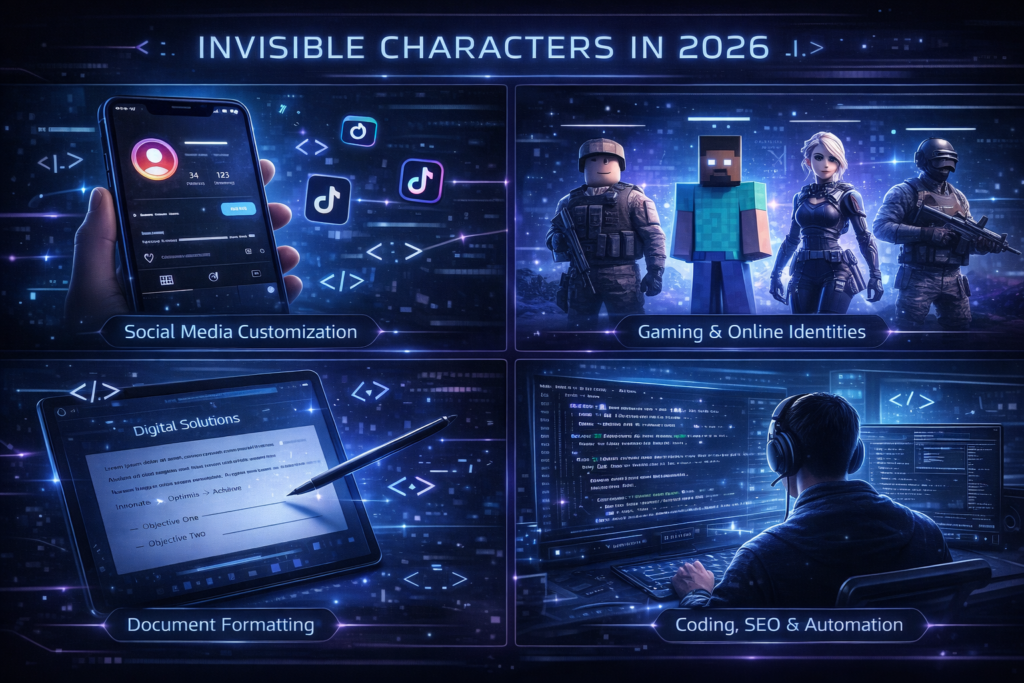
Invisible Characters have gained popularity in 2026 because of their versatility and creative potential across platforms.
Social Media Customization
Instagram, TikTok, and WhatsApp users use invisible characters to design unique bios, create empty lines, and make blank usernames. These small touches make profiles look cleaner and more aesthetic.
Gaming & Online Identities
Gamers on platforms like Roblox, Minecraft, Fortnite, and PUBG use invisible characters to stand out with hidden or blank names. It gives them a mysterious, minimalist look that is impossible to achieve with normal text.
Document Formatting
Writers and designers use invisible characters for subtle formatting — adjusting line spacing, creating alignment tricks, or hiding metadata in documents.
Coding, SEO & Automation
Developers use invisible characters for testing UI bugs, injecting hidden formatting, or managing automation scripts where visible characters might interfere.
High CPC Note: Topics covering productivity tools, Unicode tricks, and social media customization tend to attract high-paying advertising traffic.
Copy-Paste Invisible Character Codes
Here are verified invisible characters you can use in 2026:
| Type | Unicode | Copy-Paste | Use Case |
| Zero Width Space | U+200B | Hidden messages, spacing | |
| Zero Width Non-Joiner | U+200C | | Prevent ligatures, formatting |
| Zero Width Joiner | U+200D | | Emoji sequences, formatting |
| Braille Blank | U+2800 | ⠀ | Invisible names, blank spaces |
| Invisible Separator | U+2063 | | Separate text invisibly |
How to Use:
- Copy your desired character.
- Paste it into your social media post, game username, or document.
- Test on the platform to ensure it works properly.
Pro Tip: Some platforms strip unsupported characters, so always test before publishing.
How to Use Invisible Characters Online (Step-by-Step)
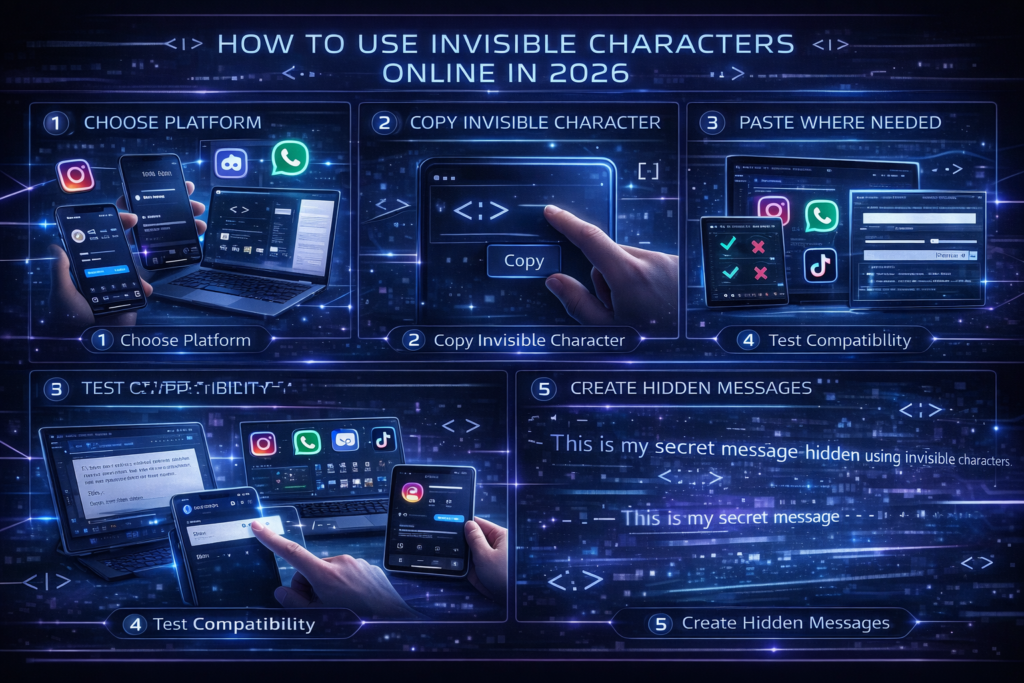
Step 1: Choose Your Platform
- Instagram (username, bio)
- WhatsApp (status, messages)
- Discord (nickname, chat)
- Gaming (Minecraft, Roblox, Fortnite, PUBG)
- Documents or online editors
Step 2: Copy Invisible Character
Use verified codes listed above. Avoid outdated symbols.
Step 3: Paste Where Needed
- Social Media: Directly paste into username, bio, or message.
- Documents: Use Word, Google Docs, or text editors.
Step 4: Test for Compatibility
Make sure the platform supports the character. Some apps remove or alter certain codes, so using a Multiple Whitespace Remover can help maintain proper spacing
Step 5: Create Hidden Messages
Combine multiple invisible characters for secret messages, spacing tricks, or formatting effects.
Best Invisible Character Generators & Tools
Using an online tool simplifies usage and ensures compatibility.
Top Tools for 2026:
- Invisible Character Generator Online
- Hidden Text Maker
- Unicode Invisible Tools
- Gaming Name Spacer Tools
Benefits:
- Verified Unicode codes
- Easy for beginners
- Saves time
- Avoids deprecated characters
Long-tail Keywords used: Invisible Character Generator Online Free, Best Invisible Character Tools for 2026
Platform-Specific Tips

Use invisible characters to create blank usernames or hidden bio messages.
Post hidden messages in statuses or group chats using zero-width spaces.
Discord
Invisible nicknames, spacing tricks in messages, formatting hacks using ZWSP or Braille blanks.
TikTok
Invisible comments or creative formatting in bios and posts.
Gaming
Unique blank names for Fortnite, Roblox, Minecraft, and other games.
High CPC Tip: Articles targeting social media and gaming platforms often attract higher-paying ads.l media and gaming topics attract high-paying ads.
Invisible Character Tricks & Hacks
Invisible characters can be combined creatively with a word combiner for unique results.
Create Invisible Names in Games
Combine multiple Zero Width Spaces or Braille Blanks to create blank or semi-visible names in games like PUBG, Free Fire, and Roblox.
Hidden Messages on Social Media
Use Zero Width Spaces and Joiners to hide secret messages in posts or bios. These messages are only visible when highlighted or copied.
Document & Web Design Tricks
Invisible Characters can be used to fine-tune alignment in HTML, Word, and Google Docs. Designers often use them to control text wrapping and indentation.
Invisible Sequences
Combine ZWSP + ZWNJ + ZWJ to create complex formatting effects without breaking readability.
Safety Note: Avoid using these tricks for spam or deceptive purposes. Invisible Characters should enhance design, not mislead readers.
Common Mistakes to Avoid
Invisible Characters are safe when used correctly, but some errors can cause issues.
| Mistake | Impact |
| Using outdated Unicode codes | May not display correctly on new devices |
| Overusing invisible characters | Can trigger spam detection algorithms |
| Ignoring platform limits | Some platforms strip unsupported codes |
| Not testing compatibility | Leads to broken formatting |
Pro Tip: Keep usage minimal and always preview across multiple devices.
Conclusion
Invisible Characters are a powerful and versatile tool in 2026 for social media, gaming, messaging apps, and document formatting. From hidden messages to blank usernames and custom spacing, these characters allow you to enhance your digital content creatively and safely.
By using verified Unicode codes like Zero Width Space (ZWSP), Zero Width Non-Joiner (ZWNJ), Zero Width Joiner (ZWJ),best-invisible-character-generator-online-2026-hidden-text-zero-width-codes-hacks and Braille Blank, along with online generators and tools, you can implement invisible characters easily without technical knowledge.
Whether you’re a gamer creating blank names, a social media enthusiast hiding messages, a content creator formatting text, or an SEO specialist testing text against an AI Content Detector, invisible characters let you stand out, organize content, bypass unwanted detection patterns, and communicate discreetly when needed.
Always test invisible characters across platforms, stay updated with Unicode standards in 2026, and avoid overuse to ensure your content remains compatible, safe, and effective.
Invisible characters may be unseen, but their impact on digital communication is powerful, creative, and fully under your control.
FAQ
What is an Invisible Character?
An Invisible Character is a Unicode symbol that appears blank but is digitally recognized. It is used for hidden messages, formatting, or spacing adjustments.
Which Platforms Support Invisible Characters?
Instagram, WhatsApp, Discord, TikTok, Facebook, Google Docs, Microsoft Word, and games like Minecraft, Roblox, and Fortnite all support Invisible Characters.
How Can I Safely Use Invisible Characters?
Copy verified Unicode codes like ZWSP (U+200B), ZWNJ (U+200C), ZWJ (U+200D), or Braille Blank (U+2800) from trusted generators.
Can Invisible Characters Hide Messages?
Yes! By combining invisible Unicode symbols, you can embed secret text that’s only visible when selected or copied.
Are There Online Tools for Invisible Characters?
Yes, there are numerous tools such as Invisible Character Generator, Hidden Text Maker, and Unicode Invisible Tools.
Can I Use Invisible Characters in Game Usernames?
Absolutely. Many games like Roblox and PUBG allow blank or invisible names using specific Unicode codes.
Are Invisible Characters Safe?
Yes, they’re completely safe if used correctly. Avoid using them to deceive users or bypass moderation.
Do Invisible Characters Affect SEO?
When used normally (for formatting), no. But hiding keywords using invisible text can trigger search engine penalties.